
Cleveland Browns
Cleveland Browns Football ClubSports
3.11.39K Reviews
- Version
- 6.8.3
- Installs
- 100.00K
- Age Rating
- Everyone
Screenshots
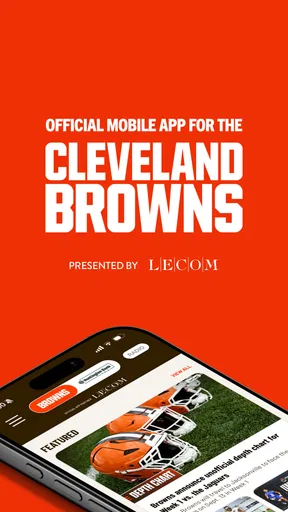
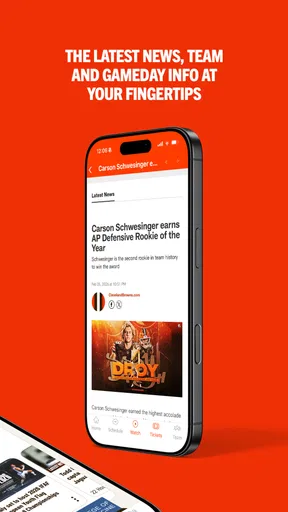
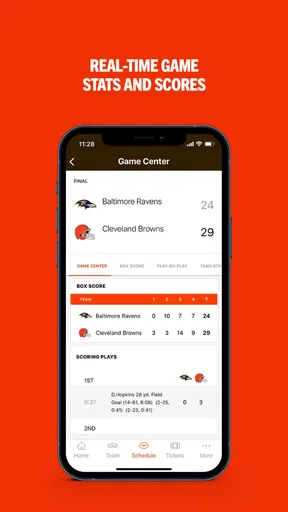
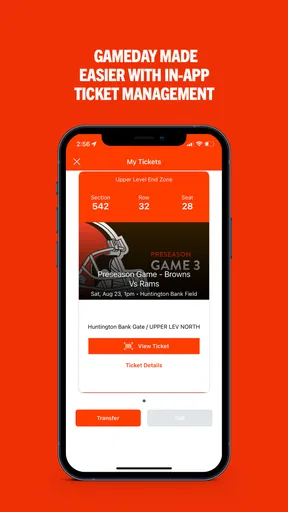
Our Review of Cleveland Browns
 Analysis by Appyee
I installed Cleveland Browns to see whether an official team app could become a useful part of a fan’s routine rather than simply another icon on a phone. My conclusion is fairly clear: it makes the most sense for people who follow the Browns closely and want team-specific information in one place, while casual NFL viewers may find a broader sports app more practical. That distinction matters because the app is free, rated for Everyone, and focused on one club rather than the whole sports world.
The app comes from Cleveland Browns Football Club, and its purpose is refreshingly direct. It is not trying to replace every sports service on your phone. Instead, it gives Browns supporters a dedicated mobile doorway into the team. I found that focus helpful when I wanted to stay connected to Cleveland without filtering through unrelated leagues, teams, and headlines.
My review looks at the decision from a practical angle: what kind of fan benefits most, where the official approach is strongest, where a general sports alternative may be better, and whether switching from your current routine is worth the effort.
What I Would Consider Before Choosing It
I would use this section to weigh the everyday trade-offs before adding another sports app: how often Cleveland is actually part of your routine, whether a team-only destination helps you find what you want faster, and whether another set of alerts would be worthwhile. I’d also check that my phone meets the minimum system requirement, then compare the app with the service I already open most often. That makes it easier to see where the official experience earns its place.
The right question is not whether it is free
Because the app costs nothing to download, the real decision is about attention and usefulness. I would ask how often I follow the Browns, what information I usually look for, and whether I prefer a team-only experience or a wider sports dashboard. If Cleveland is your main team, the narrow focus feels intentional. If you jump between several clubs, the same focus can feel limiting.
The app has been available since Aug 4, 2011, and the current release is version 6.8.3. That long presence suggests a product meant to remain part of the team’s digital routine rather than a temporary promotional download. I still would not install it solely because it is official. The value depends on whether team-specific access is more useful to you than the broader coverage offered by familiar sports apps.
How I would use it during a normal week
My most realistic use case is a game-day routine. Before leaving home, I would open the app to check the latest Browns context. On the way to work, I might use it as a quick team check-in instead of searching across several websites. Later, if I only wanted Cleveland-related updates, I would return to the official app rather than opening a general sports feed filled with scores and stories I did not ask for.
That workflow is especially useful for fans who want to avoid noise. A national sports app is designed to make every major story compete for attention. The Browns app gives me a more focused starting point. The trade-off is that I should not expect it to be the best single destination for every team, league, or sport I follow.
What the audience figures suggest
The app has passed 100 thousand installs, with an average rating of 3.1 from around 4.3 thousand ratings and about 1.4 thousand written reviews. I read that as a sign of a recognizable but imperfect team companion. It has enough reach to be a familiar choice among Browns supporters, yet the rating also tells me not to approach it as a flawless experience.
A rating in that range is not a reason to reject it automatically. Official sports apps can be valuable to a very specific audience even when they do not satisfy everyone. I would pay attention to the pattern behind my own needs: if I want a dedicated Browns hub, the app may earn a place on my phone; if I want a polished all-purpose sports center, the rating reinforces the case for comparing alternatives first.
The platform detail that can change the decision
The listed minimum operating-system requirement is 10. Before switching, I would check the software version on my phone rather than assuming any modern-looking device will work. This is a small step, but it prevents the most frustrating kind of failed download: deciding that an app suits me and discovering that my device cannot run it properly.
The Everyone age rating also makes it an easy choice for households with different ages of Browns fans. That does not automatically make every screen or notification ideal for every person, so I would still review the app’s behavior after installation. For a family, though, the age classification removes one obvious barrier to trying it.
Three practical tests I would run on day one
First, I would open the app at three different moments: on a quiet non-game day, shortly before a game, and after a major result. That reveals whether it works as a daily team companion or only feels worthwhile when the Browns are playing. A team app that is useful only for a few hours each week may not deserve permanent space on a crowded home screen.
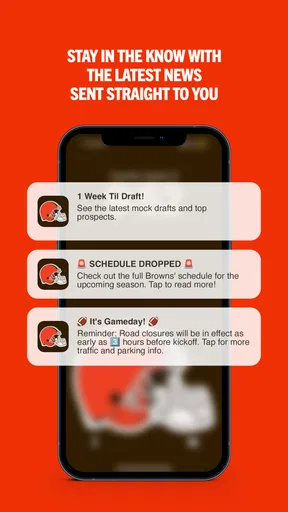
Second, I would decide whether I want notifications before enabling everything. Official team apps can become distracting when every alert feels urgent. I prefer starting with only the notices that support my routine, then adding more if I miss something important. This is a better test of usefulness than accepting every prompt during setup.
Third, I would compare one week of use with my existing sports app. I would note which app I open first for Browns information, which one makes me search less, and which one gives me fewer irrelevant updates. The better app is the one that removes steps from your actual fan routine, not necessarily the one with the longest feature list.
Where the Official Browns Experience Wins
For me, the official Browns experience wins when I want to stay focused on Cleveland rather than scan a league-wide feed. Its clearest advantage is a dedicated team context, which can make a quick check feel more direct for a committed fan. I’d still keep a broader sports option for other teams and competitions; the next question is whether that focused role continues to be useful after the first burst of curiosity.
Team identity is its strongest advantage
The clearest benefit is concentration. With Cleveland Browns Football Club behind it, the app is built around one team’s identity instead of treating the Browns as one tile among hundreds. When I am specifically in a Browns mood, that saves mental effort. I do not have to begin with a league-wide feed and then narrow it down.
This matters most for supporters who check the team repeatedly during a season. A dedicated app feels more natural when my questions are all variations of “What is happening with Cleveland?” rather than “What is happening in sports?” The narrower scope is not a weakness in that situation; it is the reason to install it.
It creates a useful second home for team information
I would not view the app as a replacement for every service I use. I would view it as a second home for Browns-related attention. That distinction helps set realistic expectations. A general sports app may remain better for comparing scores, while the official app can be the place I open when I want to stay within the team’s world.
This two-app approach may sound inefficient, but it can actually reduce clutter if each tool has a clear job. I would use the broader service for the full sports picture and Cleveland Browns for focused team checking. The trade-off is having another app to maintain, but the separation can be worthwhile for committed fans.
It is easy to justify as a low-risk trial
Free access changes the cost calculation. I can try it without committing money, test it through an ordinary week, and remove it if it does not improve how I follow the team. That makes the app suitable for undecided supporters, newer fans, and people returning to Browns coverage after a break.
The absence of a purchase decision also makes it easier to compare the official experience with a favorite sports app. I would not switch blindly. I would run both briefly, identify which one handles my most common task with fewer taps, and then keep the one that earns its place. In this case, trying the official option is less risky than assuming it will fit.
The focused design can help during busy moments
When I have only a minute, a team-specific app has a practical advantage over a broad feed. I am less likely to be pulled into unrelated stories, and I can start with the Browns rather than navigating through a league menu. That is useful during a commute, a lunch break, or the short pause before meeting friends to watch a game.
There is also a subtle emotional benefit. A dedicated team app feels like a personal fan space, not just a utility for scores. For someone whose sports routine is strongly tied to Cleveland, that sense of belonging may matter as much as speed. I would not call it essential for every supporter, but it is a genuine reason the official route can feel better than a neutral aggregator.
Who benefits most from this focus
- Fans whose main sports interest is the Cleveland Browns.
- Supporters who prefer team-specific information over a crowded national feed.
- People who want to test an official option without paying for access.
- Families looking for a team app with an Everyone content rating.
- Fans willing to manage notifications so the app supports rather than interrupts their day.
Where I noticed the limits of a team-only app
The same focus that helps a committed Browns fan can frustrate a multi-team follower. If I want to compare Cleveland with several opponents, monitor another league, or follow a wide range of sports, I still need another source. Installing this app does not eliminate that need.
The 3.1 average rating also makes me cautious about expecting perfect consistency. I would treat it as a useful official companion, not as a guarantee that every part of the experience will feel equally polished. My recommendation depends on accepting that trade-off: relevance for Browns coverage in exchange for a narrower role and an experience that may not satisfy every user.
When a broader alternative fits better
A general sports app is the better choice when my priority is comparison. If I spend more time checking league-wide results, tracking several teams, or scanning many sports than reading about Cleveland, a broad service gives me more value from one installation. It also keeps my routine centralized instead of dividing attention between an official team app and a wider platform.
A news app may be preferable when I care about analysis from many outlets rather than a team-centered experience. A league-focused service may suit someone who wants the whole competition in one view. I would also choose an existing sports app if it already gives me everything I need and opening another app would only add friction.
These alternatives are not automatically superior. They simply optimize for different decisions. The Browns app optimizes for belonging to one team; a general sports service optimizes for breadth. Knowing which of those I value more is more important than chasing a universal winner.
The switching cost is small, but the habit cost is real
Moving to the app is technically low risk because it is free, but changing habits still takes effort. I may already have a sports widget, a news routine, or notifications configured elsewhere. If I install Cleveland Browns and leave every existing alert active, I could create duplication rather than improvement.
My advice is to switch gradually. Keep the current service for broad coverage, use the official app specifically for Browns checks, and review the overlap after a week. If both apps send similar reminders, I would silence the less useful source. The goal is not to collect team apps; it is to make the information I care about easier to reach.
I would also avoid judging the app after one hurried opening. A team companion can seem empty when I am looking for a league-wide answer, even though that is not its job. I would test it against the questions I actually ask as a Browns fan. If those questions are team-specific, the comparison becomes fairer.
Questions I would answer before keeping it installed
Is it suitable for a casual fan? Yes, as a free trial, but I would not call it necessary. Someone who watches only occasional games may get more use from a general sports or news app. The official app becomes more compelling when Cleveland is part of a regular weekly routine.
Can it replace my usual sports app? Usually, I would not plan on that. Its team-only focus is a strength for Browns coverage, but it is not the logical replacement for a service built around many teams and sports. I would use it alongside a broader option if I follow more than Cleveland.
Should I enable every notification? I would start conservatively. Notifications are useful only when they match my schedule and interest. Enabling everything immediately can make a focused app feel noisy, so I would add alerts gradually and keep only those I consistently act on.
Will it suit an older phone? The key check is whether the device runs operating system 10 or later. If it does, I would still judge performance through actual use rather than relying on the requirement alone. A compatible phone is necessary, but compatibility does not guarantee that the experience will feel equally comfortable on every device.
Is the official label enough to make it the best choice? No. Official status gives it a clear connection to the Browns, but it does not remove the need to compare convenience, notification habits, and coverage needs. I recommend it because of its focused role, not simply because the developer is the club itself.
My recommendation after weighing the trade-offs
I recommend Cleveland Browns to dedicated supporters who want a free, team-specific place to keep Cleveland close during the season. The app’s strongest quality is not breadth; it is focus. When I want the Browns rather than the entire sports universe, that focus makes the app easier to justify.
I would recommend a cautious trial for casual fans. Install it, check whether it adds anything beyond your current routine, and adjust notifications instead of accepting a flood of alerts. Since the app is rated for Everyone, it is also a reasonable option for a household that shares an interest in the team.
I would skip it if I mainly follow multiple teams or expect one app to handle every sports need. In that case, a broader alternative will probably reduce switching and give me a better overall view. I would also skip it if my current service already provides the Browns information I need and I have no interest in a dedicated team space.
My final view is positive but measured. Cleveland Browns is best understood as a focused fan companion from Cleveland Browns Football Club, not a universal sports replacement. Its free price and accessible age rating make trying it simple, while its 100 thousand-plus installs show that it has found a real audience. The middling 3.1 average reminds me to keep expectations realistic, but it does not cancel the app’s central advantage.
If Cleveland is the team I check first, I would install it and give it a proper week-long test. If Cleveland is only one small part of my sports life, I would stay with a broader service. Choose it for the team-first routine, not for features you expect it to borrow from every other sports app.
Verdict
Strengths of Cleveland Browns
- Official team news, schedules, scores, and updates in one place.
- Useful for tracking Browns games throughout the NFL season.
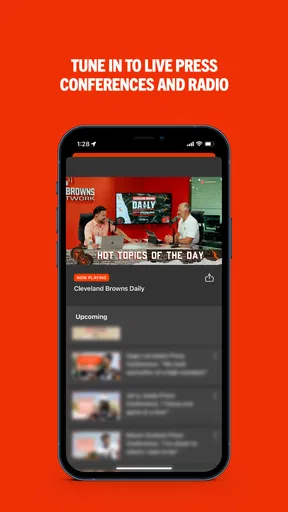
- Provides quick access to team videos and media content.
- Helps fans stay connected with Cleveland Browns community events.
- Free to download and easy to navigate for dedicated supporters.
Limitations of Cleveland Browns
- Some content may require an internet connection to load properly.
- Notifications can become frequent during games and major news events.
- Features may feel limited for users who follow multiple NFL teams.
- Live game coverage can depend on regional broadcast restrictions.
- App performance may vary on older Android and iOS devices.
Similar Picks in This Category
View All
BeSoccer: Soccer Live Score
BeSoccer apps4.3

Cricbuzz - Live Cricket Scores
Cricbuzz.com3.7

NFL
NFL Enterprises LLC2.4

Da Fit
MO YOUNG LIMITED3.6

ESPN
Disney4.5

LiveScore: Live Sports Scores
LiveScore Limited4.5
Frequently Asked Questions
What is the Cleveland Browns app used for?
The Cleveland Browns app is designed for fans who want quick access to official team information in one place. It typically includes breaking news, game schedules, scores, standings, rosters, statistics, videos, team articles, and other Browns-related content. Depending on the season and your location, it may also provide ticket information, stadium details, promotions, and notifications about important team updates.
Can I watch Cleveland Browns games through the app?
The app may provide game coverage such as live scores, play-by-play updates, statistics, highlights, interviews, and postgame videos, but it does not necessarily offer unrestricted live video streaming of every game. Live broadcasts are usually controlled by television networks, league services, or regional providers. Availability can depend on your location, broadcast rights, subscription status, and the specific game being played.
Does the Cleveland Browns app provide official news and notifications?
Yes, one of the app’s main purposes is keeping supporters informed with official Cleveland Browns content. Users can generally receive team news, injury updates, roster announcements, schedule changes, game reminders, and other alerts. Notifications can usually be customized in the settings, allowing you to choose whether you want frequent updates, scores, breaking news, or only essential information.
Is the Cleveland Browns app free to download and use?
The Cleveland Browns app is generally free to download from the official Android or iOS app store. Most basic features, including news, schedules, scores, standings, and team information, are normally available without an additional purchase. However, some content or services may depend on external subscriptions, ticket purchases, account requirements, location restrictions, mobile data charges, or third-party streaming platforms.
Does the app include tickets, stadium information, or Browns account features?
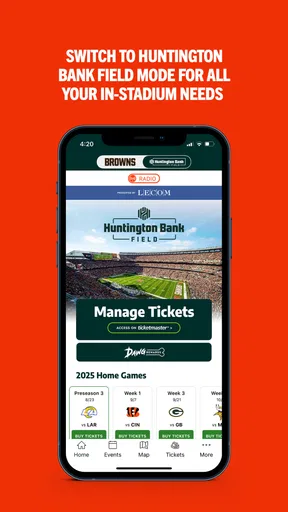
Depending on the current version, the app may connect fans with ticketing, mobile tickets, stadium policies, parking information, team-store links, and official account services. These features can be especially useful on game day, although access may require signing in with a Browns, ticketing, or league account. Users should also check permissions, supported devices, and local availability before relying on the app at the stadium.
